
I have a problem.
I love my smart phone a little too much, and I hate that.
A cell phone has been my constant companion for over 30 years. I never had one of the giant brick phones of 80s yuppies but my first phone was one of the first that made those phones look ancient even then.
However, the advent of the iPhone and social media changed all that.
I’ve spent a significant portion of my career working, at least tangentially, with social media. I still enjoy social media and find it to have value, but I am more and more aware of the downsides. I think the real turning point was TikTok. The pull of those short form video snippets was often just too much on days where not much was going on. Losing hours to the app, while not all valueless (poetry, politics, history, and religious scholarship can all be mixed in with the stupid cat videos and hilarious footage of people hurting themselves) was disconcerting. Like the borderline alcoholic that realizes that perhaps always having beer in the house is not such a good idea, when the app starts warning you that perhaps you’ve been on it too long, you know there is a problem.
I should make clear that I still like and enjoy social media. I’ve been making content for social media and the internet for well over two decades. Call me shallow, but I have much in my life to thank social media for. I also feel that its current place in society is so firmly cemented that to be without it would be detrimental to how I live.
But something had to change.
I’d turned off notifications years ago, no longer being the frontline person responsible for the hospitals’ I manage social media and reviews, has its advantages. For my own personal pages and sites, a brief check whenever I had a moment would do.
But the checking got way out of hand.
Sitting at my desk and getting sucked into checking the groups I was a part of, my social channels, and even personal email seemed to consume more and more time. Even more insidious, was the “always on” home display on my iPhone 14 Pro.
I’d managed to resist the draw of Apple Watch and other smart watches. Partly due to my affinity for real watches, but also because the constant checking seemed even more intrusive than I was already experiencing and harboring qualms about. It also helped to have coworkers who love their Apple Watches and them checking them while mid conversation was annoying enough to “not be one of those people.”
However, the extremely useful always on of my new, at the time, iPhone 14 Pro with its time and date display along with a cute picture of one of my dogs was gateway and constant reminder of the joys of browsing my phone.
But how to change.
When I travel, which I do a lot of for significant portions of the year, the scene in airports is one of obvious Smart Phone addiction. Rows and rows of people, not talking, not reading a book, but low level browsing of social media. I’m not judging, I still am happy to while away the time lost in this miracle of our modern age – the interconnection of smartphone, the internet, and social media. However, the sheer scale of how much these little devices of glass, metal, and plastic have come to be extensions of our modern selves can be shocking when one takes the place of an outside observer.
But what to do.
It seemed, I was not alone in wanting to make a change in the cycle of cellphone social media and attention-grabbing content intruding on life. Multiple celebrities were announcing their ditching of social media, and there were even a few who were getting rid of their smartphones altogether. But this removal of this seeming essential device of the 21st century seemed to reek of privilege. For every celebrity who is removing the stress of social media and the constant interruptions of a smart phone, you know there is an assistant and / or a marketing team who filter access and are ever more locked to their smartphones as they juggle their own needs and that of those who employ them.
So what for mere mortals?
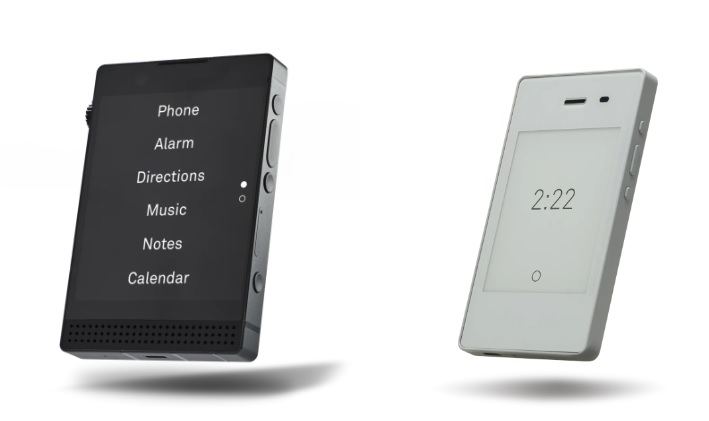
I had become aware of the Light Phone when it first launched, and I laughed like most people at the idea of wanting a Dumify phone and there being value in that. Now on its third generation, the Light Phone contains a lot of the conveniences of modern smartphones but with a monochromatic interface, limited apps, and no social media.
The downside of course being that I want and need social media in my life. I want and need various apps on my smart phone, to control alarm systems, remote access to work computers, control of my smart home, control of my electric car, notifications of the location of my keys, wallet, and dogs, and any number of other things that make up a connected life and work. I was not ready to give up all that. I’ve read Ted Kaczynski and the Luddites, and I have sympathy with those arguments, I’m just not ready for the inconvenience, the disconnection, or in a place of that level of privilege, to make such a radical change.
An option would be to slave my iPhone to a Light phone as a hotspot. Meaning my iPhone could stay in my car or bag until I wanted it, but I could carry around a Light phone for day-to-day use. This seemed a needlessly complicated solution and I was also unconvinced that the temptation of the iPhone would not be too much and I would be back to square one but $500 poorer.
Then I found Dumify.
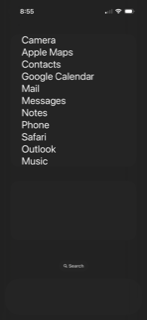
Dumify is an iPhone app, also available for Android users but you are on your own from here on out, that mimics the simpler interface of the Light phone, but does not impact the functionality of or even the regular interface of the iPhone.
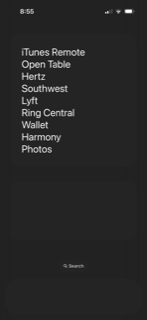
By adjusting a few settings, and then just entering the apps you want daily / easy access to, the user can create a non-engaging, and thereby not tempting, interface for the things that matter most to you in a smart phone.
After a few weeks of use here is what I have found.
My smart phone screen time at work has plummeted making me far more productive when I am at my desk.
I still use and enjoy social media but it is as a choice rather than a need. I am therefore finding it limited to specific times of the day.
My simplified lock screen – see below – still can be a temptation but far less so.
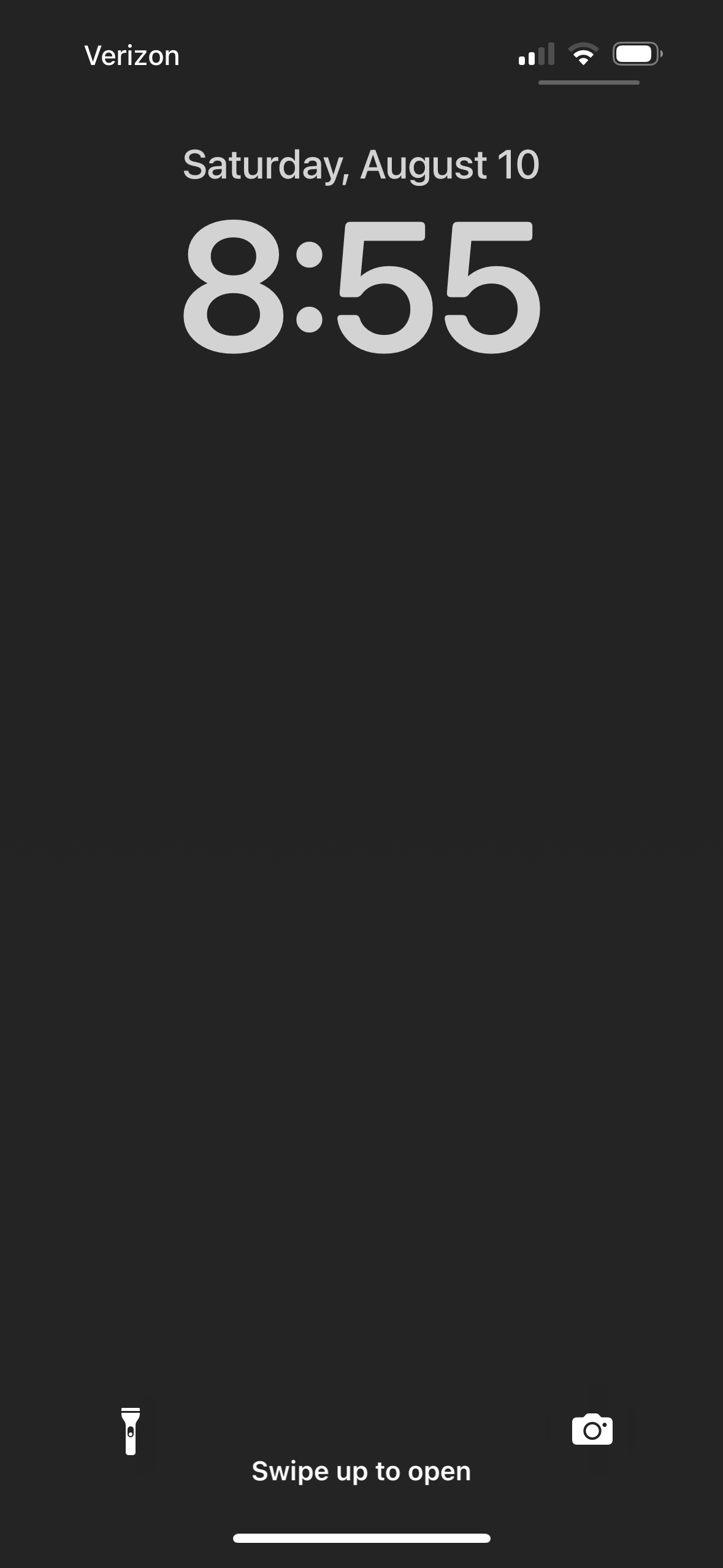
In addition, when I open my phone, I get an immediate reminder that I really don’t need to be checking Instagram, Goodreads, LinkedIn, or whatever, right now due to the interface. That simple reminder, a reminder of virtuous smartphone usage if you like, is all I need to put my phone down.
Many people, when using a tool like Dumify, delete a lot of their other apps. I have not done this. I still like my iPhone. I just use it differently. A bit like being smart about alcohol consumption while driving. An unexpected bonus has been that I have been finding myself leaving my phone in my jacket pocket when I’m in the car. The temptation to check an app while at a set of traffic lights is now gone.
While the setup of Dumify is simple, and the app contains shortcuts to most popular apps, some research for company specific apps may be required. There are also multiple short videos embedded into the app to help the customization process. On the iPhone, the app uses URL Schemes and while it blithely suggests “just search on Google” for anything the app does not already have, I found this a little more complicated than I would have hoped. This might say more about the appalling state of Google search right now, than a lack of awareness by the app developers.
I found this article on URL Schemes extremely useful, however I did end up finding a few on my own either through searching or trial and error. It should be noted that the app uses a very basic implementation of URL schemes, and a lot of the documentation is about how developers can hack iPhone apps to do very specific things. When this is the case, I found just stripping the URL to its most basic form worked great.
These are the URL schemes I ended up having to make myself. I made most of them through trial and error as they are pretty simple.
Harmony Remote harmony://
Hertz hertz://
Lyft lyft://
Music music://
Open Table opentable://
Outlook ms-outlook://
RingCentral rcapp://
Southwest southwest://
Wallet wallet://
Itunes Remote remote://
Dumify will also make you download a second app for some links. But this is seamless once it is downloaded.
Dumify is a onetime $4.99 purchase – another reason to love it. There are couple of other apps out there that do similar things to Dumify, but they follow a subscription model, and I was less impressed when I looked at them.
Dumbing down your smart phone is not for everyone. Just like being always connected is not for everyone. But it is nice to have choices, and I feel genuinely more in control of my time and feel that access to this wonder of the modern age is now on my terms and not on its terms.


 Mike Falconer